For Emergency
Money you put aside for the unexpected — and for your future.
💡 Small savings each month create big results over time.
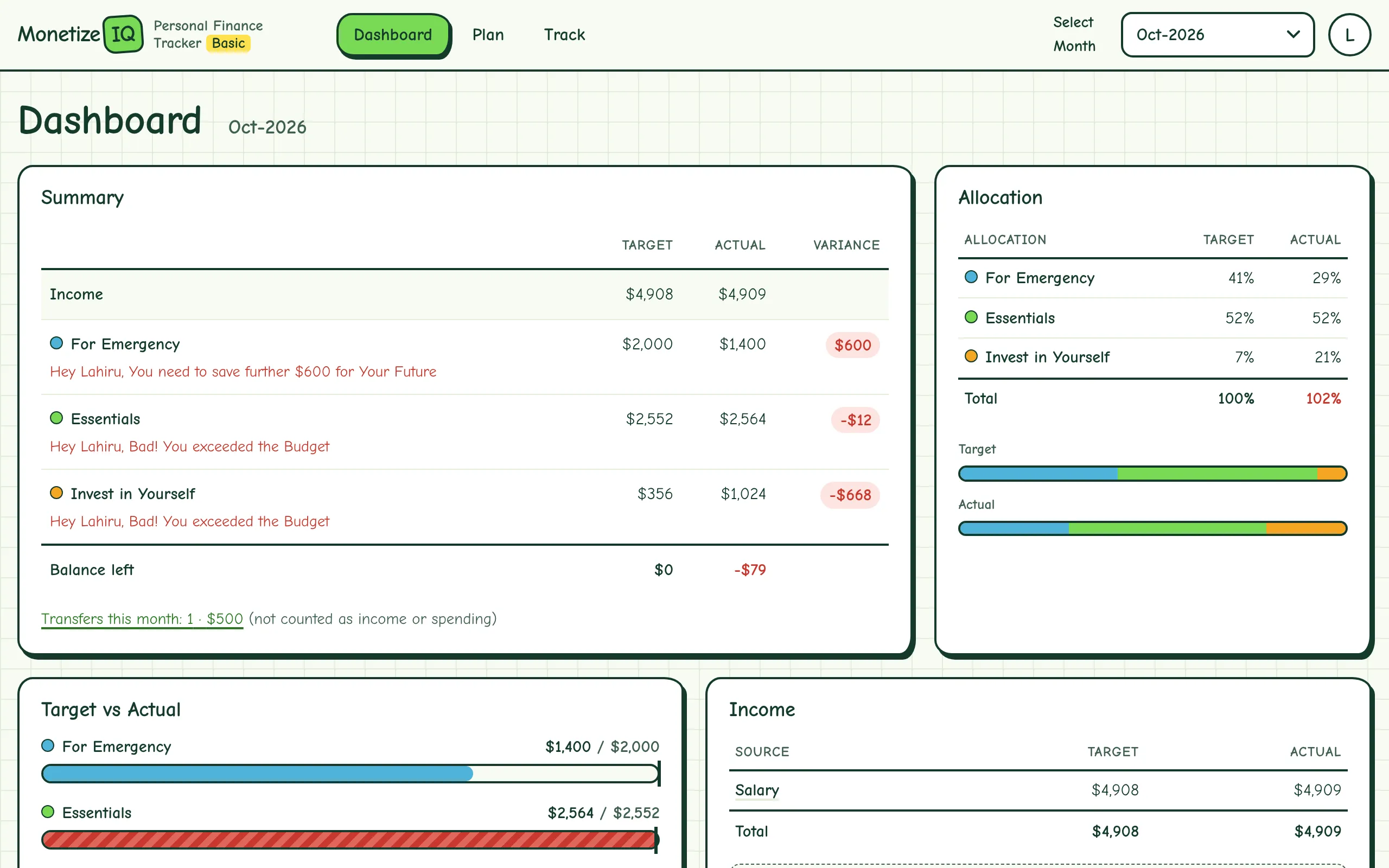
My Excel personal tracker, rebuilt as a web app. Plan where your income should go, record what really happens, and see each month on one Dashboard — on your phone or computer.
Split your income between three groups, as a % or an amount. You set For Emergency and Essentials; Invest in Yourself is what’s left, so it always adds up to 100%.
Money you put aside for the unexpected — and for your future.
💡 Small savings each month create big results over time.
Rent, groceries, bills, loans and everything you need to live.
💡 Spend on what matters, save for what matters more.
Dining out, trips, hobbies, learning — the things that make life good.
💡 The goal isn’t to die with a lot of money—it’s to enjoy your life wisely.
Enter your starting month, your income sources, and how much goes to each group. Your plan rolls forward month to month until you change it.
Record income and spending as it happens. Moving money between your own accounts is a transfer, so it never counts as spending.
See target vs actual for every group, with a straight answer: “You need to save further…” or “Bad! You exceeded the Budget”.
“A budget is a plan for your goals, not a limit on your life.”
Yes. The Basic tracker is free.
Yes. It starts with common ones (Groceries, Rent, Dining Out…) and you can add, rename, reorder or archive them in each group.
Enter them as a minus figure. A refund on groceries reduces Essentials; taking money out of savings reduces For Emergency.
It picks one from your location when you start, and you can change it in Settings.
Any time — download your transactions as a CSV for Excel or Google Sheets from Settings.
“Control your money before it controls you.”